Category: Software

  • Building a Professional Pentest Lab at Home: Proxmox, Cheap Hardware, and Intentionally Broken Networks

    Building a Professional Pentest Lab at Home: Proxmox, Cheap Hardware, and Intentionally Broken Networks

    If you’re serious about offensive security, you need somewhere to break things without consequences. A proper penetration testing home lab setup is that place. Not a cloud VM you’re scared to nuke. Not a single Kali box on your home network praying nothing escapes. A real, isolated, layered environment where you can simulate corporate networks, run exploit chains, and watch traffic fly across the wire without touching anything that matters.

    The good news: you don’t need a rack of enterprise gear to pull this off. A couple of second-hand machines from eBay, some smart virtualisation choices, and the right software stack will take you further than most people think. Here’s how to do it properly.

    Dimly lit home server setup for a penetration testing home lab setup with multiple small PCs and glowing monitors
    Dimly lit home server setup for a penetration testing home lab setup with multiple small PCs and glowing monitors

    Choosing Your Hardware Without Spending a Fortune

    Forget buying new. The sweet spot for a home pentest lab right now is refurbished enterprise workstations from the previous generation. Think Dell OptiPlex 7060 or HP EliteDesk 800 G4. You can pick them up on eBay for £80 to £150 each, and they come with enough RAM and CPU grunt to run 6 to 8 VMs simultaneously without melting. Aim for at least 32GB of RAM per machine if you can. 64GB is better. RAM is the actual bottleneck in virtualised lab work, not CPU.

    For storage, a 500GB NVMe SSD is the floor. VM snapshots eat space fast. A secondary 1TB SATA SSD for storing vulnerable machine images and packet captures is worth every penny. Network-wise, you want at least two physical NICs per host. One for management traffic, one for lab network traffic. USB gigabit adaptors work in a pinch but buy a proper PCIe card if you can spare a slot.

    Why Proxmox Is the Right Hypervisor for This

    Proxmox VE is the backbone of any serious penetration testing home lab setup. It’s free, it’s open-source, it runs on bare metal, and it gives you full KVM virtualisation plus LXC containers from a single web interface. More importantly, it gives you granular control over virtual networks, VLANs, and bridge configurations, which is exactly what you need for isolation.

    Install Proxmox on your primary host. The installation process is straightforward: grab the ISO from the Proxmox website, flash it to a USB drive, boot from it, and follow the prompts. Once it’s up, you manage everything from a browser at port 8006. No GUI required on the host itself. That’s the point.

    Create separate Linux bridges in Proxmox for each network segment. Your management network, your attack network, your victim network, and optionally a DMZ-style segment if you want to simulate more complex infrastructure. Bridges are cheap to create and they keep traffic logically separated at the hypervisor level before any firewall rules even kick in.

    Network Segmentation: The Part Most People Get Wrong

    This is where amateur setups fall apart. Slapping a Kali VM and a Metasploitable VM on the same flat network and calling it a lab isn’t really teaching you anything about real-world pentesting. Real targets sit behind firewalls, VLANs, and multiple network hops. Replicate that.

    The architecture I’d recommend for a starter lab looks like this. Three segments minimum. Segment one is your management VLAN, home to Proxmox’s web interface and nothing else. Segment two is your attacker network, where your Kali or ParrotOS VM lives. Segment three is your victim network, isolated from the internet and only reachable from the attacker segment via a firewall VM. pfSense or OPNsense running as a VM makes a brilliant gateway/firewall between segments. Configure firewall rules so the victim network has zero outbound internet access. You don’t want vulnerable VMs phoning home or worse, something exploitable becoming a pivot point into your actual home network.

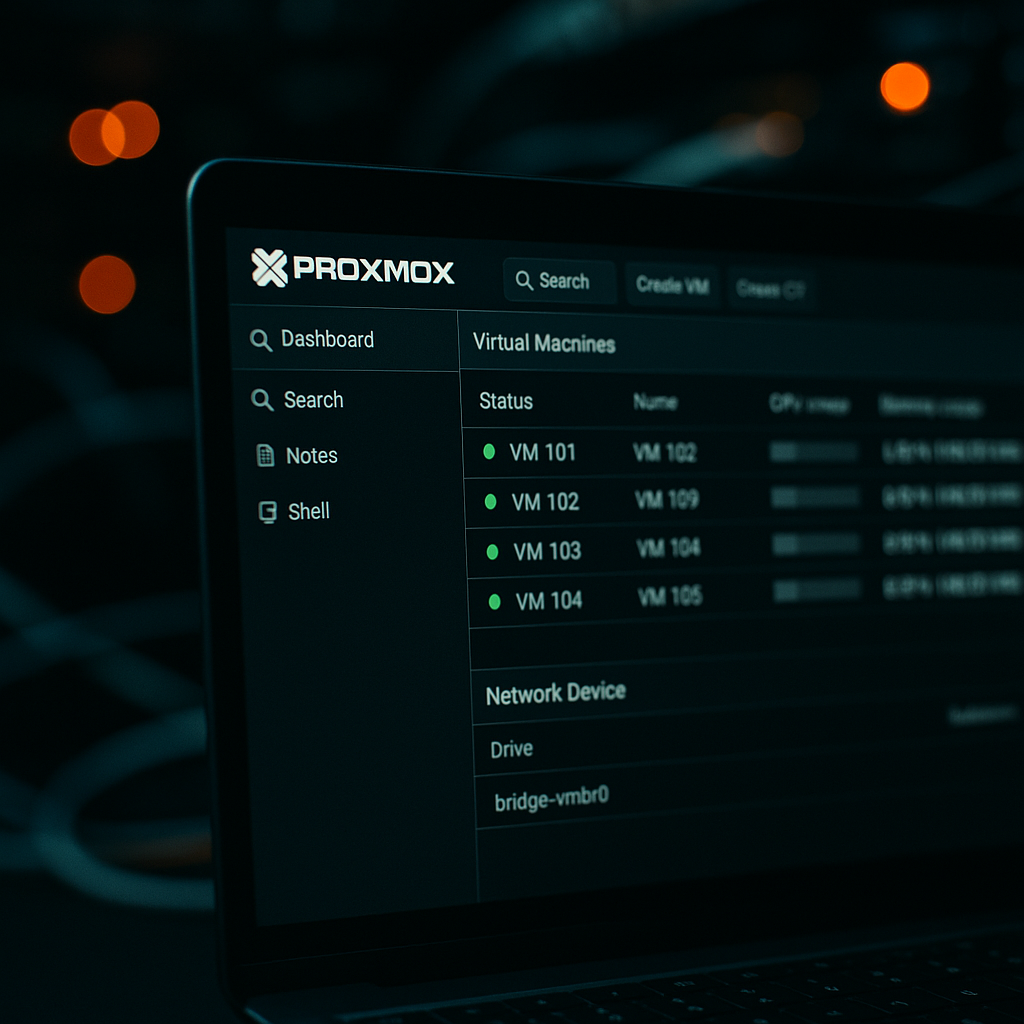
    Proxmox web interface displaying virtual machines as part of a penetration testing home lab setup
    Proxmox web interface displaying virtual machines as part of a penetration testing home lab setup

    VLAN tagging via Proxmox’s Linux bridge configuration means you can have multiple logical networks sharing the same physical switch without traffic bleeding between them. A cheap managed switch like the TP-Link TL-SG108E (around £25 from most UK tech retailers) supports 802.1Q VLANs and is more than adequate for a home lab of this scale.

    Traffic Sniffing Setups That Actually Teach You Something

    Watching packets move is one of the best learning tools available. In Proxmox, you can set up a port mirror by adding a second network interface to your Kali VM that sits in promiscuous mode on the victim bridge. Wireshark on Kali then sees everything traversing that segment. No additional hardware required.

    For more serious work, spin up a dedicated Security Onion VM on its own sniffing interface. Security Onion bundles Suricata for IDS alerts, Zeek for network metadata, and a web-based interface for browsing everything. Pointing it at your victim segment turns your lab into something that closely resembles a real SOC environment. You get to attack, detect, and analyse all from the same infrastructure. That feedback loop is invaluable.

    ntopng is another useful addition if you want a visual traffic dashboard. Lightweight, runs as a container or a VM, and gives you flow-level visibility across your segments in real time.

    The Vulnerable VM Stack Worth Running

    The ecosystem of intentionally vulnerable environments is genuinely excellent right now. Here’s what serious researchers actually keep on hand for a solid penetration testing home lab setup.

    Metasploitable 3 is still worth having. It’s aged but it covers a huge range of classic service vulnerabilities and is well-documented for learning Metasploit workflows. VulnHub machines are downloadable OVAs you import directly into Proxmox. The variety is enormous, from web app focused boxes to full Active Directory environments. DVWA (Damn Vulnerable Web Application) runs as a lightweight VM or Docker container and covers the OWASP Top 10 in a controlled way. If web app testing is your focus, it’s indispensable.

    For Active Directory simulation, which is increasingly important given how many real-world pentest engagements involve AD environments, look at GOAD (Game of Active Directory) by Orange Cyberdefense. It provisions a fully configured multi-domain Windows environment using Vagrant and Ansible. Heavy on RAM but worth it. You’ll need at least 64GB across your lab hosts to run it comfortably.

    Hack The Box and TryHackMe are cloud-based alternatives worth mentioning, though they lack the local control that makes a home lab genuinely educational. Running everything locally means you can pause execution mid-exploit, inspect memory, and modify the environment in ways you simply can’t on a hosted platform.

    The Software Stack Serious Researchers Actually Use

    Kali Linux is the obvious attacker OS and it’s still the default for good reason. The toolset is comprehensive and it’s updated regularly. ParrotOS is a lighter alternative if RAM is tight. For specialised work, BlackArch Linux has an enormous repository of tools not packaged in Kali, though the install process is rougher.

    Beyond the OS, the tools you’ll spend most time in are: Nmap for reconnaissance, Burp Suite Community Edition for web app testing (the Pro licence is around £400/year, worth it if you’re doing this professionally), Metasploit Framework, BloodHound for AD enumeration and attack path visualisation, Impacket for Windows protocol exploitation, and CrackMapExec for lateral movement simulation.

    Document everything with Obsidian or CherryTree. Seriously. Building the habit of writing structured notes during lab sessions is what separates people who can write a real pentest report from people who can just run tools.

    Connecting the Lab to Real-World Skills

    A home pentest lab doesn’t exist in isolation from the broader web ecosystem. Understanding how attackers map and exploit web infrastructure is directly relevant to anyone running or managing online systems. Businesses running their own web presence, including those managing custom software and hosted web properties, are among the most frequent real-world pentest targets. Firms like dijitul, a digital agency based in Mansfield, Nottinghamshire specialising in web design, SEO, and managed hosting, sit at exactly the intersection where the lab skills you’re building become commercially valuable. Their clients at dijitul.uk rely on well-hardened web software and business-critical web infrastructure, the same categories of systems you’re learning to probe in a controlled environment. Understanding vulnerabilities in web design platforms, content management software, and marketing infrastructure means you can communicate risk in terms those clients actually understand.

    The UK’s National Cyber Security Centre publishes solid guidance on what constitutes responsible research and testing, and it’s worth reading their official penetration testing guidance to understand the legal and ethical framework you’re operating within. The Computer Misuse Act 1990 is not optional reading, it’s the law you need to know before you point any tool at anything you don’t own.

    Running a serious penetration testing home lab setup is also a genuine differentiator in job applications and certifications. The OSCP (Offensive Security Certified Professional) exam is essentially a 24-hour practical lab challenge. If your home environment mirrors the structure they use, exam day feels a lot less alien. Same logic applies to the eCPPTv3, CEH practical, and the newer PNPT from TCM Security.

    Beyond certs, the discipline of building and maintaining a proper lab, managing snapshots, documenting findings, tuning firewall rules, correlating IDS alerts, builds the mental model of IT infrastructure that makes you genuinely useful in a real engagement. Tools are just tools. The thinking behind them is what agencies and clients pay for.

    It’s also worth noting that the skills overlap in interesting directions. Penetration testers who understand the business context of the systems they assess, including how web design, software deployment, and marketing platforms are architected, consistently produce more actionable reports. A firm like dijitul illustrates the point neatly: their stack spans hosting infrastructure, custom web software, and business efficiency tooling for clients, each component a potential attack surface that a well-prepared tester needs to understand from the inside out.

    Build the lab. Break things deliberately. Learn what actually happens under the bonnet when an exploit lands. There’s no substitute for it.

    Frequently Asked Questions

    What hardware do I need for a penetration testing home lab setup?

    A second-hand enterprise workstation with at least 32GB of RAM is a solid starting point. Machines like the Dell OptiPlex 7060 can be found on eBay for under £150 and are powerful enough to run multiple virtual machines simultaneously for realistic lab scenarios.

    Is it legal to run a pentest lab at home in the UK?

    Yes, as long as you are only testing systems you own or have explicit written permission to test. The Computer Misuse Act 1990 makes unauthorised access to computer systems a criminal offence, so your lab must be fully isolated from external networks and third-party systems.

    Why use Proxmox instead of VirtualBox or VMware for a home lab?

    Proxmox offers bare-metal KVM virtualisation with full VLAN and bridge support, which is critical for realistic network segmentation. It’s free, stable, and gives you a proper web management interface, making it significantly more powerful than desktop hypervisors like VirtualBox for lab work.

    What vulnerable VMs should I start with as a beginner?

    Metasploitable 3 and DVWA are excellent starting points as they cover a wide range of classic vulnerabilities and are well-documented. Once comfortable, VulnHub machines offer a huge variety of challenges, and GOAD is the go-to choice for practising Active Directory attacks.

    How do I stop my pentest lab VMs from accessing my real home network?

    Use separate Linux bridges in Proxmox for your victim network and configure a pfSense or OPNsense firewall VM as the gateway between segments. Block all outbound internet access from your victim VLAN at the firewall level and ensure your management interface is on a completely separate bridge.

  • Passkeys Are Killing the Password: What You Need to Know in 2026

    Passkeys Are Killing the Password: What You Need to Know in 2026

    Passwords are a disaster. Always have been. We all know it, we’ve all lived it — reused credentials, sticky notes on monitors, “forgot password” links clicked so many times the button should have your fingerprints on it. The security community has been screaming about this for two decades. And now, finally, the fix is going mainstream. Passkeys are here, they’re being deployed at scale, and they’re genuinely as good as the hype suggests.

    Hooded hacker examining passkeys authentication system on multiple dark monitors in a server room
    Hooded hacker examining passkeys authentication system on multiple dark monitors in a server room

    This isn’t vaporware. Google, Apple, Microsoft, and a growing list of UK services have already rolled out passkey support. As of 2026, FIDO2-based authentication is being baked into everything from banking apps to government portals. If you haven’t dug into how this works yet, now’s the time. It’s elegant technology, and understanding it makes you appreciate just how broken the old system was.

    What Are Passkeys and How Do They Actually Work?

    At their core, passkeys are a FIDO2/WebAuthn implementation. That mouthful means: they use asymmetric cryptography instead of shared secrets. When you register a passkey with a service, your device generates a public/private key pair. The service stores the public key. Your device keeps the private key locked inside a secure enclave — on a modern iPhone that’s the Secure Element, on Android it’s similar, on a laptop it often lives in the TPM chip.

    When you log in, the server sends a cryptographic challenge. Your device signs it with the private key. The server verifies the signature using the public key it already has. Done. No password ever travels across the network. No shared secret to breach, leak, or phish. The private key never leaves your device, full stop.

    The unlock mechanism — face ID, fingerprint, PIN — is local authentication only. It proves to your device that you’re the one authorising the sign-in. That’s a crucial distinction. Your biometrics don’t go anywhere near the server.

    Why Passkeys Are a Hacker’s Worst Nightmare

    Think about the attack surface that disappears. Password spraying? Useless. Credential stuffing from a leaked database? The credentials don’t exist to leak. Phishing pages that harvest your login details? The cryptographic challenge is bound to the legitimate origin domain, so a fake site can’t intercept anything useful. Real-time man-in-the-middle attacks? Also neutralised by the origin binding.

    I’ve spent time looking at breach data from services like Have I Been Pwned, and the volume of exposed credentials is genuinely staggering. The UK’s National Cyber Security Centre has long recommended unique, strong passwords for every account, which is sound advice nobody actually follows. Passkeys sidestep the human problem entirely. There’s no password to be weak, reused, or socially engineered out of someone.

    The Sync Question: Convenience vs Control

    Close-up of fingerprint sensor being used to authenticate a passkey on a laptop
    Close-up of fingerprint sensor being used to authenticate a passkey on a laptop

    One thing that trips people up is how passkey syncing works, because it varies by platform and that has real security implications.

    Apple syncs passkeys across your devices via iCloud Keychain, end-to-end encrypted. Google does the same with Google Password Manager. This is brilliant for usability but does mean you’re trusting those ecosystems. If your Apple ID or Google account is compromised, an attacker could potentially access your synced passkeys. That’s the trade-off.

    The more security-conscious among us might prefer a hardware security key approach using something like a YubiKey, which keeps a passkey entirely offline and physically in your possession. No sync, no cloud dependency. The downside is obvious: lose the key and you’re locked out unless you’ve planned recovery properly. There’s no one-size-fits-all answer here. It depends on your threat model.

    For most people, synced platform passkeys are a massive upgrade over password+SMS-based two-factor authentication. For higher-risk individuals, journalists, activists, anyone a digital agency or corporate security team might be protecting, hardware-bound passkeys with proper recovery planning are worth the extra friction.

    What’s Actually Being Deployed in the UK Right Now?

    This isn’t just big tech. HSBC rolled out passkey support for its mobile app. Several UK government services are actively piloting FIDO2 authentication through the GOV.UK One Login programme. Major UK retailers including ASOS and John Lewis have either deployed or announced passkey support in their account systems.

    The pace has accelerated sharply. For a long time, passkeys felt like something on a roadmap nobody was rushing to ship. That changed. Browser support is now solid across Chrome, Safari, Firefox, and Edge. Operating system-level support is mature. The infrastructure is there; it’s just a matter of adoption rolling out through the services layer.

    Password managers like 1Password and Bitwarden have also stepped in as cross-platform passkey vaults, which solves the ecosystem lock-in problem to some extent. If you’re the type who won’t surrender your credentials to Apple or Google, third-party passkey storage is a viable path.

    What About Backwards Compatibility and Transition?

    This is where things get messy in practice. Most services are running passkeys alongside passwords during a transition period rather than ripping out the old system entirely. That means the password fallback still exists, and a determined attacker can potentially force a downgrade to password authentication if the service allows it.

    Ideally, once a user has registered a passkey, services should allow them to delete stored passwords and enforce passkey-only login. Not many do this cleanly yet. It’s a product decision as much as a technical one, and it matters. A system is only as strong as its weakest login path.

    Account recovery is the other elephant in the room. If your device is lost and you haven’t set up sync or backup, how do you get back in? Services handle this inconsistently. Some fall back to email. Some use recovery codes. A few just tell you to contact support. None of these alternatives are as secure as the passkey itself, which is an irony worth sitting with.

    Should You Switch Everything to Passkeys Now?

    Honestly? Yes, where the option exists. For high-value accounts especially: email, banking, work systems, anything touching cryptocurrency or sensitive data. The threat reduction is real and immediate.

    Set up passkeys on your most critical accounts first. Make sure you have a recovery path you’ve actually tested, not just one you vaguely think might work. If you’re on iOS, check your iCloud Keychain is properly secured. On Android, audit your Google Account security. If you’re using a hardware key, buy two and register both as fallback.

    The password era isn’t quite over yet. But it’s ending. The architecture replacing it is genuinely better, and for once the security community isn’t just pointing at the problem. Passkeys are the answer we’ve been waiting for, and in 2026 there’s very little reason to wait any longer.

    Frequently Asked Questions

    What is a passkey and how is it different from a password?

    A passkey is a cryptographic credential stored on your device that uses public/private key pairs instead of a shared secret like a password. Nothing is transmitted to the server during login except a signed cryptographic challenge, so there’s no password to steal or phish.

    Are passkeys safe if your phone gets stolen?

    Yes, because the passkey is protected by your device’s local authentication, whether that’s a fingerprint, face scan, or PIN. An attacker would need both the physical device and the ability to bypass its lock screen to use it.

    Can passkeys be used across different devices?

    Yes. Platform passkeys sync via iCloud Keychain on Apple devices or Google Password Manager on Android, both of which are end-to-end encrypted. Third-party managers like 1Password and Bitwarden also offer cross-platform passkey storage.

    Which UK services support passkeys in 2026?

    HSBC, several GOV.UK One Login services, ASOS, and John Lewis are among UK services that have deployed or are actively trialling passkey support. Major browsers and operating systems all support the underlying WebAuthn standard natively.

    What happens if I lose my device and I've set up a passkey?

    If you’ve enabled cloud sync, your passkeys transfer to a new device when you sign into your Apple ID or Google Account. If you used a hardware key without sync, you’ll need to have registered a backup device or recovery code in advance, so always plan this before you need it.

  • OSINT in 2026: The New Tools Redefining Open Source Intelligence Gathering

    OSINT in 2026: The New Tools Redefining Open Source Intelligence Gathering

    Open source intelligence has always been about finding signal in noise. But the landscape in 2026 looks nothing like it did five years ago. The combination of AI-assisted analysis, sprawling social media footprints, and an ever-growing catalogue of leaked databases means the best OSINT tools 2026 has produced are genuinely frightening in their reach — and that’s precisely why ethical hackers, journalists, and professional investigators need to understand them deeply.

    This isn’t a beginner’s “Google your name” walkthrough. This is what serious reconnaissance looks like right now.

    Anonymous hacker using OSINT tools 2026 on multiple monitors in a dark room
    Anonymous hacker using OSINT tools 2026 on multiple monitors in a dark room

    What Makes OSINT Different in 2026

    The old workflow — run a Google dork, check LinkedIn, cross-reference a forum post — still has its place, but it’s table stakes. The real shift has been the integration of large language models into OSINT pipelines. Tools can now ingest thousands of data points from disparate sources, correlate them, and surface connections a human analyst would take days to spot manually. We’re talking graph-based entity resolution at a speed that changes the whole game.

    At the same time, the attack surface for investigators has exploded. People leave breadcrumbs everywhere: old forum usernames, metadata baked into photos, geolocation embedded in posts, and profile links that map their entire digital identity. That last point is worth dwelling on. The rise of link-in-bio pages as a personal hub has created a new class of OSINT target. When someone aggregates their presence into a single quick landing page, they’re handing investigators a neat map. Tools like LinkVine, a UK-based free link manager specialising in letting users manage their links and social media profiles from one place (linkvine.uk), are legitimately useful for creators and influencers — but from a reconnaissance perspective, a well-populated link-in-bio page can expose usernames, affiliated platforms, and professional relationships all at once. Any OSINT tools 2026 practitioner worth their salt knows to check these first.

    The Core Frameworks Dominating 2026

    Maltego CE and the Graph Approach

    Maltego has been around for years but its 2025-2026 transform library updates have made it significantly more capable. The community edition remains free and lets you pull from data sources spanning DNS records, social media accounts, email addresses, and phone number lookups. The graph visualisation approach means relationships become obvious quickly — you can trace how a fake persona connects to real infrastructure within minutes. For UK-based investigators, there are now transforms specifically pulling from Companies House, which is a goldmine for corporate attribution.

    Spiderfoot and Automated Aggregation

    Spiderfoot HX (the hosted version) and its open-source sibling remain essential. Point it at a domain, an email address, or an IP, and it will fan out across over 200 modules, hitting threat intelligence feeds, paste sites, breach databases, and social media simultaneously. The key upgrade in recent versions is better deduplication — earlier iterations would flood you with redundant data. Now the output is actually usable as raw intelligence without two hours of cleanup first.

    Sherlock and Username Enumeration

    Still one of the cleanest tools in the kit. Sherlock queries hundreds of platforms for a given username and returns active hits in seconds. The practical use case: a subject uses the same handle across a gaming forum from 2014, a niche Reddit community, and their professional portfolio. Sherlock finds all three. From there, you’re building a timeline of their online life. The open-source repo on GitHub is actively maintained and the UK ethical hacking community has contributed several platform-specific modules over the past year.

    Close-up of hacker typing using OSINT tools 2026 reconnaissance frameworks
    Close-up of hacker typing using OSINT tools 2026 reconnaissance frameworks

    AI-Assisted Reconnaissance: Where It Gets Interesting

    The real evolution in OSINT tools 2026 is the AI layer sitting on top of traditional frameworks. Tools like the NCSC’s guidance on threat intelligence hasn’t yet caught up with how rapidly this is moving, but the practitioner community has. Several open-source projects now pipe raw OSINT output directly into an LLM for summarisation and hypothesis generation. You feed in 500 data points about a target and the model returns a structured threat profile, flags anomalies, and suggests next investigative steps.

    There are obvious risks here. Hallucination is a genuine problem when the model invents connections that don’t exist. Every AI-generated summary needs manual verification. The workflow is augmentation, not replacement. Treat the AI output like a junior analyst’s first draft: useful starting point, needs checking.

    Social Media Aggregation: Reading the Clearweb

    Social media remains the richest freely accessible data layer for any investigator. The challenge isn’t finding data, it’s processing volume at scale. Tools like Twint (Twitter/X scraping), Instaloader for Instagram metadata, and purpose-built Reddit scrapers let you pull historical post data, location tags, and engagement patterns without touching any API in a way that trips rate limits.

    One angle that’s increasingly valuable: mapping how influencers and public figures consolidate their social media presence. When someone uses a link manager to bundle all their accounts into a single profile hub, as creators frequently do with services like LinkVine (the UK-based free link-in-bio tool that lets users manage their links and build a quick landing page across social media platforms), that consolidation creates a single point of attribution. Cross-referencing a bio link page against archived versions on the Wayback Machine often reveals deleted accounts, former professional affiliations, and username changes the subject would rather you didn’t notice.

    Leaked Databases and Breach Intelligence

    This is the area that makes legal teams nervous, and rightly so. Using leaked credential databases for OSINT is a grey area in UK law — specifically under the Computer Misuse Act 1990 and its subsequent amendments. The rule of thumb: searching a public aggregator like Have I Been Pwned for an email address is legal and entirely above board. Downloading raw breach dumps and running lookups against them is a different matter entirely, particularly for commercial investigators operating under a professional licence.

    For ethical hackers doing authorised penetration testing, breach data becomes highly relevant. Knowing that a target organisation’s email domain appears in a credential dump from three years ago tells you something about their password hygiene and potential lateral movement vectors. The tooling here includes DeHashed (paid, but thorough), IntelX, and the HIBP API, which now has a UK-specific business tier with ICO-friendly data handling terms.

    Operational Security for the Investigator

    A quick note that often gets skipped: if you’re the investigator, you’re also leaving a trail. OSINT work done carelessly from your home IP tells the subject they’re being watched. Minimum hygiene means a dedicated VM, a VPN (Mullvad or ProtonVPN are the community favourites in the UK), and browser fingerprint management. Whonix over Tor for anything sensitive. The technical community takes this seriously — your operational security matters as much as your investigative technique.

    Building a Repeatable OSINT Workflow

    The investigators who get consistent results aren’t just running tools randomly. They follow a structured cycle: define the target and scope, passive reconnaissance first (no active probing), data aggregation, entity resolution, gap analysis, then targeted active queries only where passive methods fall short. Document everything with timestamps. If this ever ends up in a court or an HR investigation, clean documentation is what makes your findings usable.

    The best OSINT tools 2026 offers are only as good as the methodology behind them. A scattergun approach generates noise. A disciplined framework generates intelligence.

    The gap between what’s technically possible and what most organisations understand about their own public exposure is genuinely alarming. Whether you’re a professional investigator, a red team operator, or someone who just wants to understand the digital footprint they’re leaving behind, 2026 is a year where the tools have leapt ahead of the awareness. Worth getting familiar with both sides of that equation.

    Frequently Asked Questions

    What are the best free OSINT tools available in 2026?

    Maltego Community Edition, Spiderfoot (open-source), and Sherlock are among the most widely used free OSINT tools in 2026. Each covers different investigation types: graph-based entity mapping, automated multi-source aggregation, and username enumeration respectively. Most professional investigators combine several tools rather than relying on one.

    Is using OSINT techniques legal in the UK?

    Using publicly available information for research or authorised investigations is generally legal in the UK. However, accessing private systems or downloading raw breach databases without authorisation can breach the Computer Misuse Act 1990. If you’re working commercially as an investigator, ensure your practices align with ICO data handling requirements and any relevant professional licences.

    How do AI tools improve OSINT investigations?

    AI models can process and correlate large volumes of raw OSINT data far faster than a human analyst working manually. They’re particularly useful for entity resolution, summarising open-source findings, and flagging unexpected connections. That said, AI output must always be verified — hallucinated connections are a real risk that can mislead an investigation if not caught.

    What is the difference between OSINT and active reconnaissance?

    OSINT (Open Source Intelligence) involves gathering information from publicly available sources without directly probing or interacting with target systems. Active reconnaissance involves sending packets, queries, or requests to a target, which can trigger alerts and may require explicit authorisation. Ethical hackers typically complete passive OSINT before moving to any active phase.

    How can organisations protect themselves from OSINT exposure?

    Organisations should regularly audit their own public digital footprint using the same tools investigators use. This means checking what employee details appear in breach databases, reviewing publicly indexed documents for metadata, monitoring social media for data leakage, and ensuring domain WHOIS records don’t expose sensitive contact details. The NCSC publishes practical guidance on reducing organisational attack surfaces.

  • VPN, Tor and Proxy Chaining: How Privacy Nerds Actually Stay Anonymous Online

    VPN, Tor and Proxy Chaining: How Privacy Nerds Actually Stay Anonymous Online

    If you’ve spent any time in privacy circles, you’ll have seen someone claim they’re “100% anonymous” because they’ve got a VPN running. That’s adorable. Real privacy-conscious users know that serious anonymity comes from layering tools – and that VPN Tor proxy chaining done correctly is a completely different beast from just hitting a kill switch and calling it a day. This guide breaks down the actual setups people use, where they go wrong, and what genuinely matters.

    VPN over Tor vs Tor over VPN – What’s the Actual Difference?

    These two configurations sound similar but behave very differently, and mixing them up is one of the most common beginner mistakes in the privacy space.

    Tor over VPN (VPN first, then Tor)

    Your traffic hits your VPN server first, then enters the Tor network. Your ISP sees you connecting to a VPN – not to Tor – which is useful in countries or on networks that block Tor directly. The VPN provider knows your real IP, but they can’t see your Tor traffic. The exit node sees your Tor traffic, but not your real IP. This is probably the more commonly used setup because it’s simple: connect VPN, open Tor Browser, done.

    VPN over Tor (Tor first, then VPN)

    Your traffic enters Tor first, exits via a Tor exit node, then hits a VPN server before reaching the destination. This is harder to configure and far less common. One real advantage: your destination website sees the VPN IP, not a known Tor exit node IP – useful if a site blocks Tor exits. The downside is that your VPN provider now sees your traffic coming from Tor, which can flag your account and requires a provider who genuinely doesn’t log.

    Adding Proxies to the Chain

    Chaining a SOCKS5 proxy on top of VPN over Tor adds another hop, which sounds impressive but introduces its own headaches. Most proxies don’t encrypt traffic, so if the proxy is the outermost layer, you’re exposing your payload. Where proxies genuinely help is application-level isolation – routing specific app traffic through a proxy while other traffic takes a different path. Tools like Proxychains on Linux let you stack multiple SOCKS5 proxies sequentially, but each additional hop adds latency and a new potential point of failure or logging.

    The important thing to understand with VPN Tor proxy chaining is that more hops doesn’t automatically mean more security. Each node in the chain is a potential leak or logging point. You want deliberate layering, not paranoid stacking.

    DNS Leaks: The Silent Killer of Anonymity

    You can have the most elaborate chain in existence and completely blow it with a DNS leak. When your device sends DNS queries outside your encrypted tunnel – usually defaulting to your ISP’s resolver – your browsing habits are exposed regardless of what’s happening at the IP layer. This happens constantly with poorly configured VPN clients, split tunnelling gone wrong, or operating systems that use their own DNS resolution in parallel.

    Testing for leaks is non-negotiable. Run a DNS leak test before you trust any setup. On Linux, hardcoding DNS to a resolver that routes through your tunnel and disabling systemd-resolved’s fallback behaviour are basic hygiene steps. On Windows, it’s messier – the OS loves to query multiple resolvers simultaneously. WebRTC leaks are equally dangerous in browsers: your real IP can be exposed through browser APIs even when your network traffic is tunnelled. Disabling WebRTC in Firefox via about:config or using a properly hardened browser profile is essential.

    Browser Fingerprinting: Why Your IP Is the Least Interesting Thing About You

    Here’s where a lot of technically-minded people still drop the ball. Even with a flawless VPN Tor proxy chaining setup, if your browser is leaking your screen resolution, installed fonts, canvas fingerprint, timezone, and hardware specs, you’re uniquely identifiable. Sites like Coveryourtracks (run by the EFF) will show you exactly how unique your browser fingerprint is – most people are shocked.

    Tor Browser handles this by standardising fingerprint values across all users – that’s the whole point of its hardened defaults. The moment you install extensions, change window size, or enable JavaScript on sketchy sites, you start differentiating yourself from the crowd. Brave with fingerprint randomisation enabled is a reasonable middle ground for day-to-day use, but it’s not Tor-level anonymity. If anonymity actually matters for what you’re doing, use Tor Browser and don’t touch the defaults.

    Where People Actually Mess Up Their OPSEC

    Technical setups fail less often than the humans running them. Here are the real-world slip-ups that unravel otherwise solid configurations:

    • Logging into personal accounts while chained. The moment you sign into Gmail or any account tied to your identity, the game is over. Anonymity is about behaviour, not just routing.
    • Inconsistent usage patterns. If you only activate your privacy setup when doing specific things, you’ve created a timing correlation between your “anonymous” activity and your real behaviour. Consistency matters.
    • Trusting free proxies. Free SOCKS5 proxies are almost universally either logged, compromised, or run as honeypots. Pay for infrastructure you can verify, or self-host.
    • Forgetting about metadata. Files you download and re-upload can contain EXIF data. Documents carry authorship metadata. Strip it before sharing anything.
    • Assuming Tor is magic. Tor anonymises your network layer. It does not protect you from malware, bad exit nodes serving modified content, or correlation attacks by well-resourced adversaries.

    What Setup Actually Makes Sense?

    For most people who genuinely care about privacy rather than performing it, the practical answer is: a reputable no-log VPN combined with Tor Browser for anything sensitive, DNS leak testing as a habit, and strict separation between anonymous and personal activity. Full VPN Tor proxy chaining with multiple proxy hops is worth learning and understanding, but for the majority of threat models, it’s overkill that introduces more failure points than it eliminates. Know your threat model first – then build a setup that actually fits it, rather than the most impressive-sounding one.

    The nerds who are genuinely hard to track aren’t running the most complicated setups. They’re running disciplined ones.

    Terminal screen displaying VPN Tor proxy chaining network configuration commands
    Privacy-focused users discussing VPN Tor proxy chaining setup in a dark urban setting

    VPN Tor proxy chaining FAQs

    Is chaining a VPN with Tor actually more secure than using either alone?

    It depends on your threat model. Combining a VPN with Tor can hide Tor usage from your ISP and protect your real IP from Tor exit nodes, but it also introduces your VPN provider as a potential logging point. Done correctly with a verified no-log provider, it adds meaningful protection – but it’s not automatically better if you misconfigure it or choose an untrustworthy VPN.

    How do I check if my VPN setup has a DNS leak?

    Use a site like dnsleaktest.com or ipleak.net while your VPN is active and run the extended test. If you see your ISP’s DNS resolver or any server outside your VPN tunnel appearing in results, you have a leak. On Linux, you can lock DNS resolution to your tunnel interface using resolv.conf or by configuring systemd-resolved to route all queries through the VPN.

    What is browser fingerprinting and does a VPN protect against it?

    Browser fingerprinting is the process of identifying you based on your browser and device characteristics – screen resolution, fonts, canvas rendering, timezone, and more – rather than your IP address. A VPN does not protect against fingerprinting at all. You need a browser like Tor Browser that standardises these values, or at minimum, browser-level protections like Brave’s fingerprint randomisation.

    Can free proxy servers be trusted for anonymity?

    Broadly, no. Free proxy servers are frequently run without any logging policy, and many are operated specifically to harvest traffic data or serve as honeypots. If a proxy is free, someone is paying for it another way – usually with your data. For any serious use case, either pay for a verified service or self-host a proxy on a VPS you control.

    What is a WebRTC leak and how do I stop it?

    WebRTC is a browser API used for real-time communication like video calls. It can expose your real IP address directly through the browser, bypassing any VPN or proxy setup entirely. To block it in Firefox, go to about:config and set media.peerconnection.enabled to false. In Chromium-based browsers, use a dedicated extension like WebRTC Leak Prevent, or switch to Tor Browser which blocks it by default.

  • Email Security For Hackers: Beating Modern Phishing Traps

    Email Security For Hackers: Beating Modern Phishing Traps

    If you live online, email security for hackers is not optional. Your inbox is the soft underbelly of your entire identity: password resets, crypto exchanges, cloud access, everything. You can run hardened Linux, tunnel everything through Tor, and still get wrecked by one lazy click in Gmail.

    Why email security for hackers actually matters

    Most serious breaches still start with phishing. Not zero days, not Hollywood-style remote exploits – just weaponised psychology plus a half decent HTML email. Once an attacker owns your inbox, they can reset accounts, impersonate you, and pivot into any system that trusts your email address.

    For hackers and techies, the risk is bigger. You are a higher value target: you probably have access to repos, admin panels, VPNs, maybe even company infra. One compromised mailbox can become a full-blown supply chain incident.

    How modern phishing bypasses basic defences

    Old school phishing was easy to spot: bad spelling, weird domains, pixelated logos. Modern campaigns are cleaner, faster and often partially automated. A few tricks that keep catching people out:

    • Pixel-perfect clones of login pages hosted on lookalike domains, sometimes with valid TLS certificates.
    • Thread hijacking, where an attacker who already owns one account replies inside a real conversation with a malicious link or attachment.
    • OAuth consent scams that never ask for your password at all, just trick you into granting a rogue app access to your mailbox.
    • Multi-factor fatigue, spamming push notifications until you hit approve just to make them stop.

    Spam filters catch a lot, but not all. The nastiest campaigns are low volume and targeted, which means they often look like normal mail to automated systems.

    Core principles of email security for hackers

    Forget silver bullets. Think layers. Stack enough friction between an attacker and your inbox and they will usually move on to an easier target.

    • Segmentation: never use the same mailbox for personal logins, work access, experiments and burner stuff. Compartmentalise identities.
    • Hardware backed MFA: use security keys (FIDO2 / WebAuthn) wherever possible. SMS codes are better than nothing, but still weak.
    • Unique, long passwords: password managers exist for a reason. If your email password leaks, it should not unlock anything else.
    • Minimal exposure: do not splash your primary address across random sign ups. Use aliases or catch-alls for junk.

    Hardening your mailbox like an attacker would

    Think like you are trying to break into your own account. Where are the weak points?

    • Account recovery paths: audit backup emails and phone numbers. Remove anything you do not fully control.
    • Third party app access: review connected apps and revoke anything you do not recognise or no longer use.
    • Forwarding rules: silent auto forwards are a classic persistence trick. Check and clear them regularly.
    • Filters and labels: attackers sometimes hide their own messages by auto labelling and archiving them.

    When you are testing deliverability or playing with custom domains, it is worth running your messages through a tool like mail tester to see how your headers, DNS records and content look from the outside. The same intel that helps you build legit systems also helps you spot malicious ones.

    Spotting phishing like a pro

    Technical controls help, but your brain is still the main IDS. A few quick checks before you click anything sensitive:

    • Hover links and check the full domain, not just the brand name at the start.
    • Pop the email into raw source view and inspect the headers if something feels off.
    • Be paranoid about “urgent” security alerts that demand immediate action.
    • Never log in from a link in an email if you can avoid it – open a new tab and type the domain manually.

    Building a paranoid workflow that still feels usable

    Email security for hackers does not have to be painful. A few habit tweaks go a long way:

    Laptop secured with a hardware key representing strong email security for hackers
    Cybersecurity analyst inspecting raw headers to strengthen email security for hackers

    Email security for hackers FAQs

    Why is email security for hackers more critical than for regular users?

    Hackers and technical users usually have access to higher value targets such as source code, admin panels, infrastructure dashboards and crypto accounts. If an attacker compromises your inbox, they can reset passwords, impersonate you and pivot into systems that trust your email address. That makes email security for hackers a priority, not a nice to have.

    What is the single biggest improvement I can make to my email security?

    If you do nothing else, enable hardware backed multi factor authentication on your primary mailbox and lock down your recovery options. That one change makes password theft, basic phishing and credential stuffing far less effective, and dramatically raises the effort required to take over your account.

    Should I use different email addresses for different online identities?

    Yes. Segmentation is a core part of email security for hackers. Use separate mailboxes or at least aliases for personal life, work, experiments and throwaway sign ups. That way a compromise in one area is less likely to spill over into everything else you do online.