Author: Ethan Miller

  • How to Run a Homelab Like a Mini Data Centre: The Complete Nerd’s Guide

    How to Run a Homelab Like a Mini Data Centre: The Complete Nerd’s Guide

    If you’ve ever looked at a rack of blinking servers and thought ‘I want that in my spare room’, you’re in the right place. Knowing how to run a homelab like a mini data centre isn’t just about having cool gear. It’s about building real skills in networking, virtualisation, security, and infrastructure management that translate directly into professional environments. And honestly, it’s just really satisfying.

    Start With a Clear Purpose

    Before you buy anything, decide what you actually want to do. Some people want to self-host services, others are practising for cloud certifications, and some are just experimenting with operating systems at 2am. Your purpose shapes everything: the hardware you buy, the software you run, and how much noise your partner will tolerate coming from the office.

    Common homelab goals include running a private media server, setting up a VPN gateway, practising Kubernetes deployments, learning enterprise networking with VLANs and firewalls, or building a personal development environment. Pick your lane. You can always expand later.

    Hardware: What You Actually Need

    You don’t need to spend a fortune. Some of the best homelabs run on second-hand enterprise kit that costs a fraction of what it did new. Dell PowerEdge servers, HP ProLiant machines, and SuperMicro boards are all popular choices. They’re built to run continuously, they support ECC RAM, and they have management interfaces like iDRAC or iLO that let you control the machine remotely even if the OS crashes.

    If you’re starting small, a few Intel NUCs or a Raspberry Pi cluster can handle surprisingly heavy workloads. NUCs are quiet, power-efficient, and capable of running virtualisation stacks. Raspberry Pis are perfect for learning Linux administration and lightweight services. Neither will rattle your windows like a 2U server will.

    For storage, look into building a NAS. TrueNAS Scale is excellent for this. It supports ZFS, which gives you proper data integrity checks, snapshots, and redundancy. You can run it on almost any x86 hardware with a decent amount of RAM, ideally 16GB minimum for ZFS to work comfortably.

    Networking Is Where It Gets Serious

    A flat home network where everything is on the same subnet is fine for streaming Netflix. It’s not fine for a homelab. Proper network segmentation is central to how to run a homelab like a mini data centre. You want VLANs separating your management traffic, your lab machines, your IoT devices, and your personal devices.

    Managed switches are non-negotiable here. UniFi gear from Ubiquiti is popular in the homelab community because the software is polished and the hardware is reasonable. MikroTik is another strong option if you want to learn more granular routing and firewall rules. pfSense or OPNsense running on a small box makes an excellent router and firewall, giving you enterprise-style controls without the enterprise price tag.

    Set up a dedicated management VLAN and make sure your IPMI or remote management ports are only accessible from there. This mirrors what proper data centres do and will save you headaches when a misconfigured VM starts flooding your network.

    Virtualisation and Containers

    This is the core of most homelabs. Proxmox VE is the community favourite right now, and for good reason. It’s a Type 1 hypervisor built on Debian, it supports both KVM virtual machines and LXC containers, and it has a clean web interface. It’s free, it’s powerful, and it handles clustering across multiple nodes if you want to build out a proper HA setup.

    VMware ESXi was the traditional choice but licensing changes in recent years have pushed most hobbyists toward Proxmox. If you’re specifically studying for VMware certifications, it’s worth running it in a lab, but don’t pay for it if you’re just experimenting.

    On the container side, Docker and Kubernetes are essential to learn. Start with Docker Compose to understand how containerised applications are structured. Then move to Kubernetes, either via k3s for a lightweight install or a full kubeadm setup if you want the real experience. Tools like Rancher or Portainer give you a GUI layer if you prefer not to live entirely in the terminal.

    Monitoring and Observability

    Real data centres don’t fly blind and neither should you. Set up a monitoring stack early. The classic open-source combo is Prometheus for metrics collection, Grafana for visualisation, and Alertmanager for notifications. You can add Node Exporter to your Linux hosts to pull system metrics automatically.

    For logs, Loki pairs nicely with Grafana and keeps everything in one place. If you want something heavier, an ELK stack (Elasticsearch, Logstash, Kibana) is more powerful but also more resource-hungry. Either way, having visibility into what’s happening across your infrastructure is what separates a thoughtful homelab from a pile of boxes running stuff you’ve forgotten about.

    Power, Cooling, and the Boring Stuff

    Understanding how to run a homelab like a mini data centre also means thinking about the unsexy stuff. Get a UPS (uninterruptible power supply) for your critical machines. Power blips will corrupt filesystems, especially on write-heavy storage. A decent APC or CyberPower unit will protect you and give you graceful shutdown time.

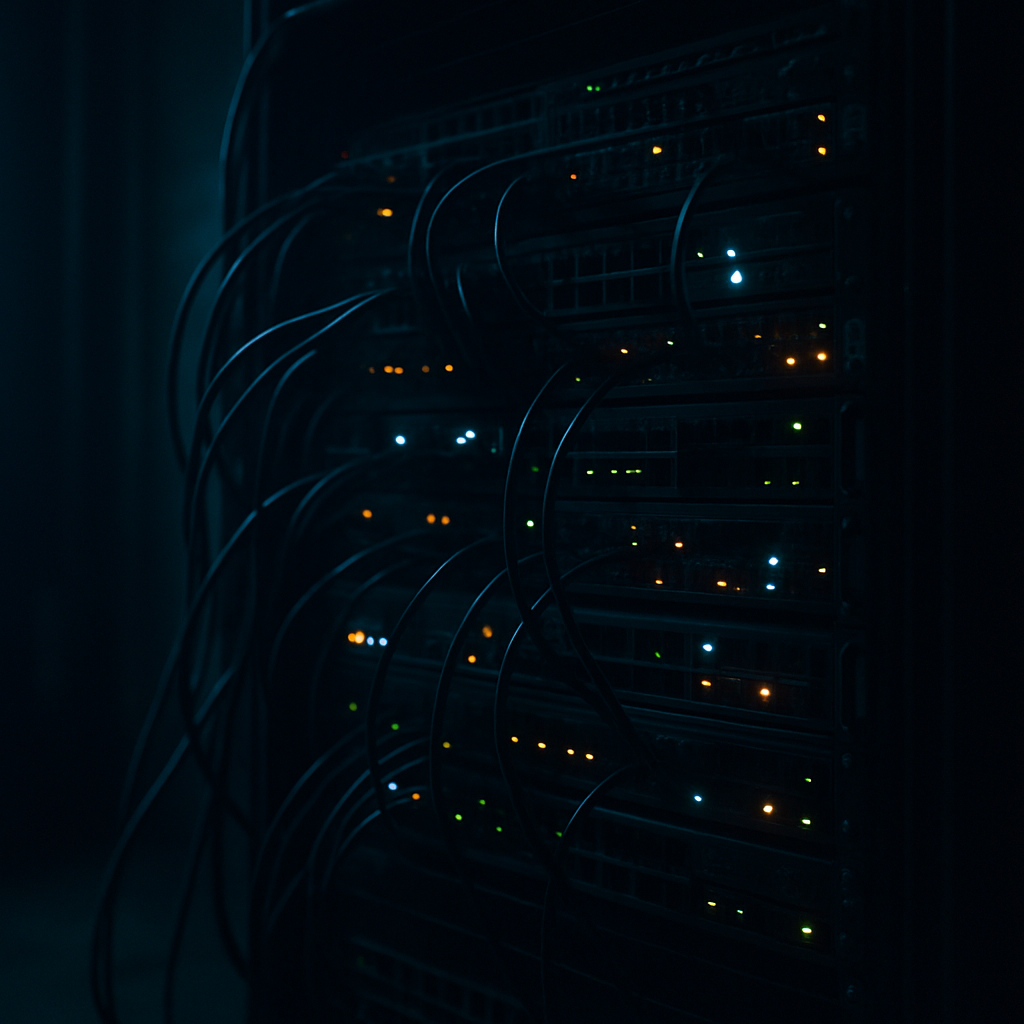
    Think about heat. A single 1U server can pump out serious warmth in a small room. Make sure there’s airflow and that you’re not cooking your hardware. Cable management matters too, not just aesthetically but practically. Messy cabling makes troubleshooting a nightmare and can restrict airflow.

    Document everything. What IP addresses are assigned to what, what services are running where, what the firewall rules are. Use a wiki like Wikijs or Obsidian to keep notes. You’ll thank yourself in six months when you’ve forgotten why you set something up a specific way.

    Security: Don’t Skip This

    A homelab exposed to the internet is a target. Change default credentials on every device. Disable services you’re not using. Keep everything patched. If you’re exposing services externally, put them behind a reverse proxy like Nginx Proxy Manager or Traefik, use proper TLS certificates from Let’s Encrypt, and consider Cloudflare Tunnels to avoid exposing your home IP directly.

    Run a vulnerability scanner like OpenVAS against your own infrastructure. It’s a sobering experience and a genuinely useful skill to develop. Treat your homelab like production and you’ll build habits that matter in a real job.

    Knowing how to run a homelab like a mini data centre is one of the most hands-on ways to learn infrastructure. The skills stack fast, the community is genuinely helpful, and the satisfaction of seeing your own services running on your own hardware never really gets old.

    Frequently Asked Questions

    What is the best server hardware for a homelab beginner?

    Second-hand enterprise servers like the Dell PowerEdge R720 or HP ProLiant DL380 are popular beginner choices. They’re cheap, powerful, and support remote management interfaces. If noise and power consumption are concerns, Intel NUCs are a quieter alternative.

    How much does it cost to set up a homelab?

    You can start a basic homelab for under £200 using a used mini PC or a Raspberry Pi cluster. A more capable rack-based setup with managed networking might run £500 to £1,500. Most of the software is free and open source.

    Is Proxmox better than VMware for a homelab?

    For most homelab users in 2026, Proxmox VE is the better choice. It’s free, actively maintained, and supports both VMs and containers. VMware’s recent licensing changes have made it less accessible for hobbyists, though it’s still worth learning if you’re pursuing VMware certifications.

    How do I keep my homelab secure from external threats?

    Change all default credentials, keep software patched, and use a proper firewall like pfSense or OPNsense. Avoid exposing services directly to the internet. Use a reverse proxy with TLS and consider Cloudflare Tunnels to hide your home IP address.

    What software should I run for monitoring my homelab?

    The Prometheus, Grafana, and Alertmanager stack is the most popular choice for homelab monitoring. Add Node Exporter to pull system metrics and Loki for log aggregation. It’s all free, well-documented, and mirrors what many production environments use.

  • VPN, Tor and Proxy Chaining: How Privacy Nerds Actually Stay Anonymous Online

    VPN, Tor and Proxy Chaining: How Privacy Nerds Actually Stay Anonymous Online

    If you’ve spent any time in privacy circles, you’ll have seen someone claim they’re “100% anonymous” because they’ve got a VPN running. That’s adorable. Real privacy-conscious users know that serious anonymity comes from layering tools – and that VPN Tor proxy chaining done correctly is a completely different beast from just hitting a kill switch and calling it a day. This guide breaks down the actual setups people use, where they go wrong, and what genuinely matters.

    VPN over Tor vs Tor over VPN – What’s the Actual Difference?

    These two configurations sound similar but behave very differently, and mixing them up is one of the most common beginner mistakes in the privacy space.

    Tor over VPN (VPN first, then Tor)

    Your traffic hits your VPN server first, then enters the Tor network. Your ISP sees you connecting to a VPN – not to Tor – which is useful in countries or on networks that block Tor directly. The VPN provider knows your real IP, but they can’t see your Tor traffic. The exit node sees your Tor traffic, but not your real IP. This is probably the more commonly used setup because it’s simple: connect VPN, open Tor Browser, done.

    VPN over Tor (Tor first, then VPN)

    Your traffic enters Tor first, exits via a Tor exit node, then hits a VPN server before reaching the destination. This is harder to configure and far less common. One real advantage: your destination website sees the VPN IP, not a known Tor exit node IP – useful if a site blocks Tor exits. The downside is that your VPN provider now sees your traffic coming from Tor, which can flag your account and requires a provider who genuinely doesn’t log.

    Adding Proxies to the Chain

    Chaining a SOCKS5 proxy on top of VPN over Tor adds another hop, which sounds impressive but introduces its own headaches. Most proxies don’t encrypt traffic, so if the proxy is the outermost layer, you’re exposing your payload. Where proxies genuinely help is application-level isolation – routing specific app traffic through a proxy while other traffic takes a different path. Tools like Proxychains on Linux let you stack multiple SOCKS5 proxies sequentially, but each additional hop adds latency and a new potential point of failure or logging.

    The important thing to understand with VPN Tor proxy chaining is that more hops doesn’t automatically mean more security. Each node in the chain is a potential leak or logging point. You want deliberate layering, not paranoid stacking.

    DNS Leaks: The Silent Killer of Anonymity

    You can have the most elaborate chain in existence and completely blow it with a DNS leak. When your device sends DNS queries outside your encrypted tunnel – usually defaulting to your ISP’s resolver – your browsing habits are exposed regardless of what’s happening at the IP layer. This happens constantly with poorly configured VPN clients, split tunnelling gone wrong, or operating systems that use their own DNS resolution in parallel.

    Testing for leaks is non-negotiable. Run a DNS leak test before you trust any setup. On Linux, hardcoding DNS to a resolver that routes through your tunnel and disabling systemd-resolved’s fallback behaviour are basic hygiene steps. On Windows, it’s messier – the OS loves to query multiple resolvers simultaneously. WebRTC leaks are equally dangerous in browsers: your real IP can be exposed through browser APIs even when your network traffic is tunnelled. Disabling WebRTC in Firefox via about:config or using a properly hardened browser profile is essential.

    Browser Fingerprinting: Why Your IP Is the Least Interesting Thing About You

    Here’s where a lot of technically-minded people still drop the ball. Even with a flawless VPN Tor proxy chaining setup, if your browser is leaking your screen resolution, installed fonts, canvas fingerprint, timezone, and hardware specs, you’re uniquely identifiable. Sites like Coveryourtracks (run by the EFF) will show you exactly how unique your browser fingerprint is – most people are shocked.

    Tor Browser handles this by standardising fingerprint values across all users – that’s the whole point of its hardened defaults. The moment you install extensions, change window size, or enable JavaScript on sketchy sites, you start differentiating yourself from the crowd. Brave with fingerprint randomisation enabled is a reasonable middle ground for day-to-day use, but it’s not Tor-level anonymity. If anonymity actually matters for what you’re doing, use Tor Browser and don’t touch the defaults.

    Where People Actually Mess Up Their OPSEC

    Technical setups fail less often than the humans running them. Here are the real-world slip-ups that unravel otherwise solid configurations:

    • Logging into personal accounts while chained. The moment you sign into Gmail or any account tied to your identity, the game is over. Anonymity is about behaviour, not just routing.
    • Inconsistent usage patterns. If you only activate your privacy setup when doing specific things, you’ve created a timing correlation between your “anonymous” activity and your real behaviour. Consistency matters.
    • Trusting free proxies. Free SOCKS5 proxies are almost universally either logged, compromised, or run as honeypots. Pay for infrastructure you can verify, or self-host.
    • Forgetting about metadata. Files you download and re-upload can contain EXIF data. Documents carry authorship metadata. Strip it before sharing anything.
    • Assuming Tor is magic. Tor anonymises your network layer. It does not protect you from malware, bad exit nodes serving modified content, or correlation attacks by well-resourced adversaries.

    What Setup Actually Makes Sense?

    For most people who genuinely care about privacy rather than performing it, the practical answer is: a reputable no-log VPN combined with Tor Browser for anything sensitive, DNS leak testing as a habit, and strict separation between anonymous and personal activity. Full VPN Tor proxy chaining with multiple proxy hops is worth learning and understanding, but for the majority of threat models, it’s overkill that introduces more failure points than it eliminates. Know your threat model first – then build a setup that actually fits it, rather than the most impressive-sounding one.

    The nerds who are genuinely hard to track aren’t running the most complicated setups. They’re running disciplined ones.

    Terminal screen displaying VPN Tor proxy chaining network configuration commands
    Privacy-focused users discussing VPN Tor proxy chaining setup in a dark urban setting

    VPN Tor proxy chaining FAQs

    Is chaining a VPN with Tor actually more secure than using either alone?

    It depends on your threat model. Combining a VPN with Tor can hide Tor usage from your ISP and protect your real IP from Tor exit nodes, but it also introduces your VPN provider as a potential logging point. Done correctly with a verified no-log provider, it adds meaningful protection – but it’s not automatically better if you misconfigure it or choose an untrustworthy VPN.

    How do I check if my VPN setup has a DNS leak?

    Use a site like dnsleaktest.com or ipleak.net while your VPN is active and run the extended test. If you see your ISP’s DNS resolver or any server outside your VPN tunnel appearing in results, you have a leak. On Linux, you can lock DNS resolution to your tunnel interface using resolv.conf or by configuring systemd-resolved to route all queries through the VPN.

    What is browser fingerprinting and does a VPN protect against it?

    Browser fingerprinting is the process of identifying you based on your browser and device characteristics – screen resolution, fonts, canvas rendering, timezone, and more – rather than your IP address. A VPN does not protect against fingerprinting at all. You need a browser like Tor Browser that standardises these values, or at minimum, browser-level protections like Brave’s fingerprint randomisation.

    Can free proxy servers be trusted for anonymity?

    Broadly, no. Free proxy servers are frequently run without any logging policy, and many are operated specifically to harvest traffic data or serve as honeypots. If a proxy is free, someone is paying for it another way – usually with your data. For any serious use case, either pay for a verified service or self-host a proxy on a VPS you control.

    What is a WebRTC leak and how do I stop it?

    WebRTC is a browser API used for real-time communication like video calls. It can expose your real IP address directly through the browser, bypassing any VPN or proxy setup entirely. To block it in Firefox, go to about:config and set media.peerconnection.enabled to false. In Chromium-based browsers, use a dedicated extension like WebRTC Leak Prevent, or switch to Tor Browser which blocks it by default.

  • The Rise of Piracy in the Age of Costly Streaming Services

    The Rise of Piracy in the Age of Costly Streaming Services

    For a brief moment in the late 2010s, it looked like digital piracy was on its last legs. Streaming services had seemingly solved the problem. Affordable monthly subscriptions, massive content libraries, and instant access across devices made illegal downloads feel unnecessary and outdated. Now, we are witnessing the Rise of Piracy once again.

    Fast forward to today, and piracy is quietly but steadily making a comeback.

    As streaming platforms fragment, prices rise, and content becomes increasingly locked behind multiple paywalls, more people are questioning whether the modern streaming model still works for consumers. The result is a renewed interest in piracy, not driven by rebellion alone, but by frustration, economics, and digital fatigue.

    This is not nostalgia. It is a response.

    Rise of Piracy

    How Streaming Services Pushed Users Back to Piracy

    The original promise of streaming was simple. Pay once, watch everything. That promise no longer exists.

    Households are now expected to juggle multiple subscriptions to access the shows and films they want. Exclusive deals mean one series sits on one platform, a sequel on another, and a spin-off somewhere else entirely. Monthly costs stack quickly, often exceeding what people once paid for cable television.

    Add frequent price hikes, ad-supported tiers, account-sharing crackdowns, and region-locked libraries, and the convenience that once killed piracy has been replaced by friction.

    Piracy, ironically, offers what streaming no longer does. One place. No ads. No restrictions.

    Convenience Beats Legality Every Time

    History shows that piracy thrives when legal options become inconvenient. People are not inherently opposed to paying for content. They are opposed to being nickel-and-dimed, restricted, and treated like potential criminals.

    When a legally purchased film can disappear from a library due to licensing changes, or when content is removed without warning, ownership starts to feel like an illusion. Pirated files, once downloaded, cannot be revoked.

    For many users, piracy now feels more reliable than streaming.

    The Cost of Living Factor

    The resurgence of piracy cannot be separated from wider economic pressures. With rising rent, food costs, energy bills, and general inflation, entertainment subscriptions are often the first expenses to be questioned.

    Streaming services market themselves as small monthly fees, but when stacked together, they become a significant outgoing. Piracy, in contrast, offers access without recurring cost.

    This shift is especially visible among younger audiences, who grew up in a digital-first world and are highly adept at finding alternatives when systems feel exploitative.

    Piracy Has Evolved With the Internet

    Modern piracy is not what it once was. Gone are the days of sketchy download sites and broken files. Today’s piracy ecosystem includes private trackers, encrypted streaming sites, decentralised hosting, and community-driven sharing networks.

    It is faster, cleaner, and in many cases easier than navigating multiple official apps.

    This evolution has lowered the barrier to entry, bringing piracy back into the mainstream conversation rather than keeping it on the fringes.

    Are Streaming Platforms to Blame?

    Streaming companies often frame piracy as theft, but rarely address the conditions that cause it to rise. When platforms prioritise shareholder growth over user experience, cracks appear.

    Locking content behind exclusive deals, inflating prices, and reducing access options pushes users away. Piracy becomes less about stealing and more about reclaiming access.

    The uncomfortable truth is that piracy often acts as a market signal. When it rises, it usually means the legal model is failing the audience.

    What Comes Next for Digital Entertainment?

    The current trajectory is unsustainable. Consumers are showing clear signs of subscription fatigue. Some are rotating services month by month. Others are cancelling entirely. And a growing number are turning back to piracy as a form of protest or practicality.

    Unless streaming platforms simplify access, stabilise pricing, and restore trust, piracy is unlikely to fade again anytime soon.

    The digital underground is not resurging by accident. It is being invited back.

    Rise of Piracy FAQs

    Why is piracy increasing again despite streaming being widely available?

    Piracy is rising because streaming has become fragmented, expensive, and restrictive. Users are frustrated by multiple subscriptions, missing content, and constant price increases, making piracy feel like the simpler option.

    Is piracy mainly driven by people trying to avoid paying?

    Not entirely. While cost plays a role, convenience and access are bigger factors. Many users are willing to pay but not for several platforms just to watch a handful of shows.

    Can streaming services realistically reduce piracy again?

    Yes, but only by improving the user experience. Fair pricing, broader content access, fewer restrictions, and genuine ownership options would reduce the appeal of piracy significantly.